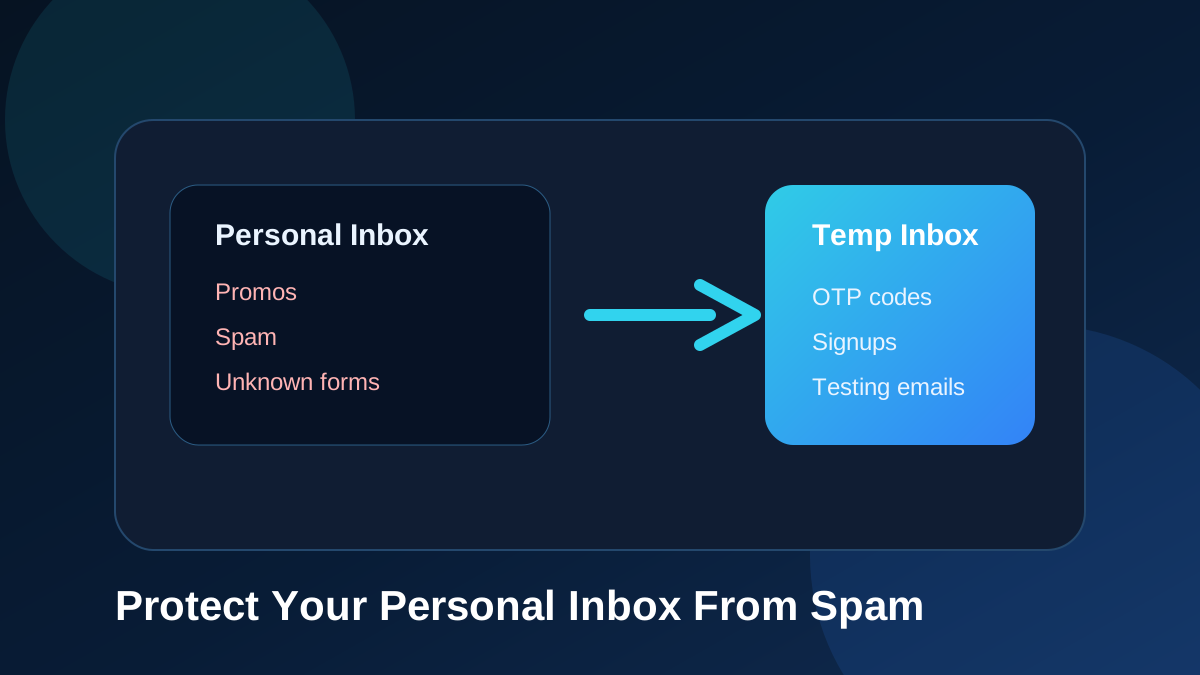
Your personal inbox is valuable. It holds account recovery messages, work communication, family conversations, receipts, invoices, passwords resets, calendar alerts, travel information, and private records. But many people slowly lose control of their inbox because they use the same personal email address everywhere. Every signup form, download page, loyalty program, forum, giveaway, trial account, and newsletter request becomes another way for messages to reach the same mailbox.
A temporary email address gives you a simple way to reduce that clutter. Instead of entering your main email on every form, you can use a short-term inbox for low-risk signups, OTP codes, verification messages, and testing tasks. TemproMail helps with that by letting visitors create or enter a temporary inbox, receive emails in the browser, and use @keyomail.com addresses for quick online tasks.
Why inbox spam happens
Spam and unwanted email do not always arrive all at once. In many cases, inbox clutter builds slowly. You enter your email address to access a free resource. A shop asks for your email before showing a coupon. A forum requires email verification. A tool asks for an address before allowing a download. A product trial sends a welcome message, then a follow-up campaign, then a weekly update. Over time, your inbox becomes crowded with messages you did not really ask to receive long term.
Some websites are careful with email. Others are not. Some send too many messages. Some share data with marketing platforms. Some have weak unsubscribe behavior. Some may later experience database leaks. Even when a website starts with good intentions, your email address can still end up in more systems than you expected.
How temporary email helps
A temporary email address acts like a buffer between your personal inbox and the public web. When a website only needs to send one verification message, you do not always need to use your real email. You can use a temporary inbox to receive the message, complete the step, and keep your personal address private.
This does not mean temporary email should be used for everything. It is not a replacement for your real mailbox. Instead, it is a practical tool for short-term, low-risk, and testing-related tasks. It helps you decide where your main email address is truly needed and where a temporary inbox is enough.
Temporary email for signups
Signups are one of the most common reasons people use temporary email. Many websites require an email address before you can use the product, download a file, join a community, test a dashboard, or receive an offer. Sometimes you know you will use the account for a long time. In that case, a permanent email address is appropriate. Other times, you only need to complete a quick step.
For those one-time or low-priority signups, a disposable email address can keep your main inbox clean. You can receive the verification email, open the message, and continue without giving the website your personal mailbox. If you never use the site again, your main email remains untouched.
Temporary email for OTP codes
OTP codes are usually short-term messages. You need the code for a few minutes, not forever. If you are testing a website, creating a demo account, or using a low-risk service, receiving an OTP through a temporary inbox can be convenient. You create an address, paste it into the form, wait for the code, and copy it from the inbox.
This is especially useful when you need to repeat the process. Developers and QA testers often trigger many OTP emails while testing authentication systems. Using a temporary inbox keeps those test codes away from their work mailbox.
Temporary email for newsletters and downloads
Many download pages and newsletter forms request an email address before giving access to a file, checklist, template, guide, coupon, or tool. Sometimes the content is useful, but you may not want to receive ongoing campaigns. A temporary email address lets you access the initial message without adding long-term noise to your personal inbox.
This is not about avoiding legitimate communication. It is about choosing the right inbox for the right purpose. If you truly want updates from a brand, use your main email. If you only need one message, a temporary inbox may be more practical.
Protecting your personal email address
Your personal email address can become part of your digital identity. It may be connected to banking, work accounts, cloud storage, social profiles, shopping accounts, and password recovery. The more places you use it, the more exposure it gets. Temporary email helps reduce unnecessary exposure by giving you a separate address for low-priority tasks.
This separation is simple but powerful. It keeps your main email for important communication and uses a temporary inbox for tasks that do not deserve permanent access to your personal mailbox.
Temporary email and privacy
Temporary email does not make someone completely anonymous online. Websites can still collect other information such as IP address, browser data, device signals, account behavior, or payment details if you provide them. But temporary email can still improve email privacy by reducing how often your real inbox is shared.
Think of temp mail as email minimization. You are not giving your primary address to every website. You are choosing a separate inbox when the task does not require your personal mailbox. This can reduce future tracking, marketing, and unwanted messages connected to your real email.
What spam protection does not mean
Using temporary email does not mean you should ignore safety. You should still avoid suspicious websites, unknown downloads, fake login pages, and unsafe attachments. You should not use temp mail for sensitive accounts. You should not click links that look suspicious simply because they arrived in a temporary inbox.
Spam protection is about reducing unnecessary exposure and clutter. It is not a guarantee against every online risk. Good browsing habits, strong passwords, two-factor authentication, and careful link checking are still important.
When temporary email is a good choice
A temporary email address is a good choice when the task is short-term, low-risk, and not connected to long-term identity. Examples include testing a signup form, receiving a one-time verification email, checking OTP delivery, accessing a demo, previewing a newsletter, downloading a low-risk resource, joining a temporary forum account, or testing an app workflow.
It is also useful when you do not trust a website enough to give it your main email address. If a form feels unnecessary or a website looks like it may send too many promotional messages, using a temporary inbox can help protect your personal mailbox.
When not to use temporary email
Do not use temporary email for important accounts. Banking, payment services, government portals, school accounts, healthcare services, tax platforms, business tools, and long-term accounts should use an email address you control permanently. If you may need to recover the account later, do not rely on a temporary inbox.
Also avoid temporary email for anything that contains sensitive personal information. A temporary inbox is best for quick messages, not private records.
How TemproMail helps reduce clutter
TemproMail is designed for fast temporary inbox use. You can create or enter an address, copy it, use it on a signup form, and check messages from the browser. This keeps the workflow simple. You do not need to create a full mailbox just to receive one verification message.
Guest users can use temporary inbox access for quick tasks. Registered users can save addresses for next time, which is useful if you want to return to an inbox later without searching for it again. The goal is to make temporary email easy to use without turning it into a complicated email platform.
Tips for keeping your inbox cleaner
Use your personal email only for accounts that matter. Use a temporary inbox for short-term signups. Unsubscribe from newsletters you no longer read. Avoid entering your main email into every coupon form. Use different addresses for different purposes when possible. Review which services have access to your inbox. Be careful with unknown attachments and links.
These habits work well together. Temporary email is one part of a cleaner email strategy. It helps you reduce clutter before it starts instead of trying to clean everything later.
Final thoughts
Temporary email can help protect your personal inbox from spam, promotional clutter, unnecessary newsletters, and low-priority signup messages. It gives you a separate inbox for verification emails, OTP codes, testing messages, and short-term online tasks.
TemproMail makes that process simple by giving you a browser-based temporary inbox and @keyomail.com addresses. Use your personal email for important accounts, use temp mail for quick tasks, and keep your main inbox cleaner for messages that truly matter.