Many online tasks need an email address, but not every task needs your personal inbox. Sometimes you only need to receive one verification email, copy an OTP code, confirm a signup, test a form, or open a simple message. Creating a full account just to receive one email can feel unnecessary. That is why temporary email with no registration has become useful for everyday users, developers, testers, and privacy-conscious visitors.
A no-registration temporary email service lets you create or enter an inbox quickly without creating a full user account first. You can use the address for a short-term task, receive the message online, and move on. TemproMail is designed around that simple idea. Visitors can use tempromail.com to create or check a temporary inbox, while generated addresses use @keyomail.com.
What does temporary email with no registration mean?
Temporary email with no registration means you can use a short-term inbox without signing up first. You do not need to create a full profile, remember a password, confirm your personal email, or manage another permanent mailbox before receiving messages. The goal is speed. You open the website, create or enter an email address, use it on a form, and check the inbox.
This is different from a normal email provider. A normal mailbox is designed for long-term communication. It usually requires account creation, password management, recovery settings, and personal details. A temporary inbox is designed for short-term use. It is useful when you need email access for a simple online task but do not want to expose your main email address.
Why no-registration temp mail is popular
No-registration temp mail is popular because it removes friction. Many users do not want to create another account just to receive a simple verification message. They want a quick inbox that works immediately. This is especially helpful when the task is low-risk, temporary, or testing-related.
For example, you may need to test a signup form, access a demo, receive a coupon code, confirm a newsletter, download a resource, or check whether an application sends OTP emails correctly. In those situations, a temporary email address can be faster than using your personal inbox or creating a new permanent email account.
How no-registration temporary email works
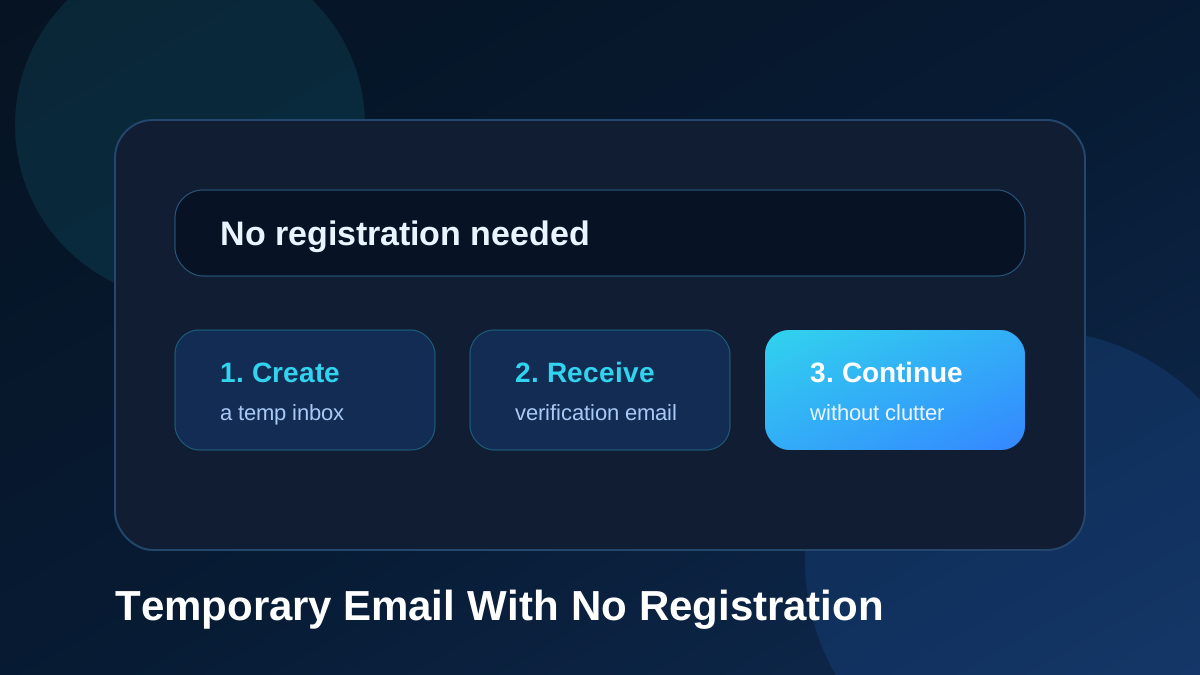
The process is simple. First, open the temporary email website. Second, create a random inbox or choose a custom address. Third, copy the address and paste it into the website that needs email verification. Fourth, wait for the message to arrive. Fifth, open the inbox and read the email.
On TemproMail, the homepage includes the basic tools needed for this workflow: email input, random address creation, custom address creation, copy support, check inbox button, and message list. This keeps the process focused on the task instead of forcing users through a long setup.
Benefits of using temp mail without signup
The first benefit is speed. You can receive messages quickly without creating another permanent mailbox. This is useful for OTP codes, email verification, signup confirmations, and test messages.
The second benefit is inbox separation. Your personal email address stays away from low-priority forms and short-term tasks. This can reduce spam, promotional follow-ups, and unnecessary newsletters in your main mailbox.
The third benefit is convenience. You do not need to manage another account for every quick verification task. You can use a temporary inbox when the task is short-term and save your real email for important communication.
When no-registration temporary email is useful
No-registration temporary email is useful for quick online tasks. You can use it for account verification, OTP emails, newsletter previews, coupon forms, demo access, forum registration, app testing, password reset testing, email template checks, and low-risk signups.
It is also useful when you are not sure whether a website deserves your personal email address. Some websites only need to send one message. After that, you may never use them again. A temporary inbox helps you complete the step without placing your real email into another database.
Temporary email for OTP codes
OTP codes are a common reason to use no-registration temp mail. Many websites send a short code to confirm that an email address works. If the task is temporary or low-risk, a disposable inbox can be a practical way to receive the code without using your main mailbox.
This is especially helpful for testing. Developers and QA teams often need to trigger OTP emails many times. A no-registration temporary inbox makes the workflow faster because they can create test addresses and check messages without filling a personal inbox with repeated codes.
Temporary email for signup forms
Signup forms often ask for an email address before allowing access. Some signups are important, but many are not. A user may want to test a tool, download a file, join a temporary forum account, or preview a website. If long-term access is not needed, temporary email can be useful.
Using temp mail for signup forms can also reduce promotional clutter. Some websites send welcome messages, onboarding emails, product updates, and promotional campaigns after one signup. A temporary inbox keeps those messages separate from your personal mailbox.
Temporary email for developers
Developers often need quick email addresses for testing. They may need to test account creation, verification links, OTP delivery, password reset flows, invitation emails, contact form alerts, and transactional messages. Creating permanent email accounts for every test is slow and unnecessary.
A temporary inbox helps developers test the full email workflow. They can create a test user, receive the message, inspect the subject line, check the message body, verify the code or link, and repeat the test with another address if needed.
No registration does not mean no responsibility
Temporary email should be used responsibly. It is not a tool for abusing websites, avoiding legal requirements, or creating harmful activity. It is a convenience and privacy tool for short-term messages, low-risk signups, testing, and inbox separation.
You should not use temporary email for important accounts. Banking, payment services, government portals, healthcare accounts, school accounts, business accounts, and long-term profiles should use an email address you control permanently. If you may need account recovery later, do not rely on a temporary inbox.
Privacy benefits of no-registration temp mail
No-registration temp mail can improve email privacy by reducing how often your personal inbox is shared. When you use your real email on many websites, that address may be stored in databases, marketing platforms, analytics systems, and support tools. If one of those systems sends too many messages or experiences a data leak, your main email can be affected.
Temporary email reduces unnecessary exposure. It gives you a separate inbox for tasks that do not need your long-term identity. It does not make you completely anonymous online, but it helps keep your personal mailbox more private.
What to look for in a good no-registration temp mail tool
A good temporary email tool should be simple. It should make the main actions clear: create an address, copy it, check the inbox, and open messages. It should work quickly and avoid unnecessary steps. The interface should be easy to understand even for first-time visitors.
Useful features include random email generation, custom email support, a readable inbox list, fast message checking, copy button, clear message view, and optional account features for users who want to save addresses for next time. TemproMail includes this kind of workflow so visitors can handle quick verification tasks from one page.
Guest inbox vs saved address
A no-registration inbox is useful when you need speed. You can use it for a quick task and leave when you are done. But sometimes you may want to return to an address later. In that case, a saved address can be useful.
TemproMail supports both types of use. Guest users can use a temporary inbox for quick tasks. Registered users can save addresses for next time and open them from the dashboard. This gives users a choice between quick access and repeat access.
How to use TemproMail without registration
Open TemproMail, create a random email address or create a custom @keyomail.com address, copy the address, and paste it into the website that needs verification. When the email arrives, open it from the inbox area and read the message. If you want to use the address again later, create a free account and save it for next time.
This workflow is useful for OTP codes, signup emails, app testing, newsletter previews, and low-risk forms. It keeps your personal inbox cleaner while still letting you receive the message you need.
Safety reminders
Do not use temporary email for sensitive accounts. Do not open suspicious links. Do not download unknown attachments. Do not reuse passwords across websites. Do not treat a temporary inbox as a secure long-term mailbox. Use it for quick, low-risk, and testing-related tasks.
If an account matters, use a permanent email address. If the task is temporary, no-registration temp mail can save time and reduce inbox clutter.
Final thoughts
Temporary email with no registration is useful because it makes quick email verification faster. It helps you receive OTP codes, signup messages, testing emails, and low-risk confirmations without exposing your personal inbox everywhere.
TemproMail gives visitors a simple way to create or check a temporary inbox from the browser using @keyomail.com addresses. Use it when you need a quick inbox, save your real email for important accounts, and keep your online workflow cleaner.