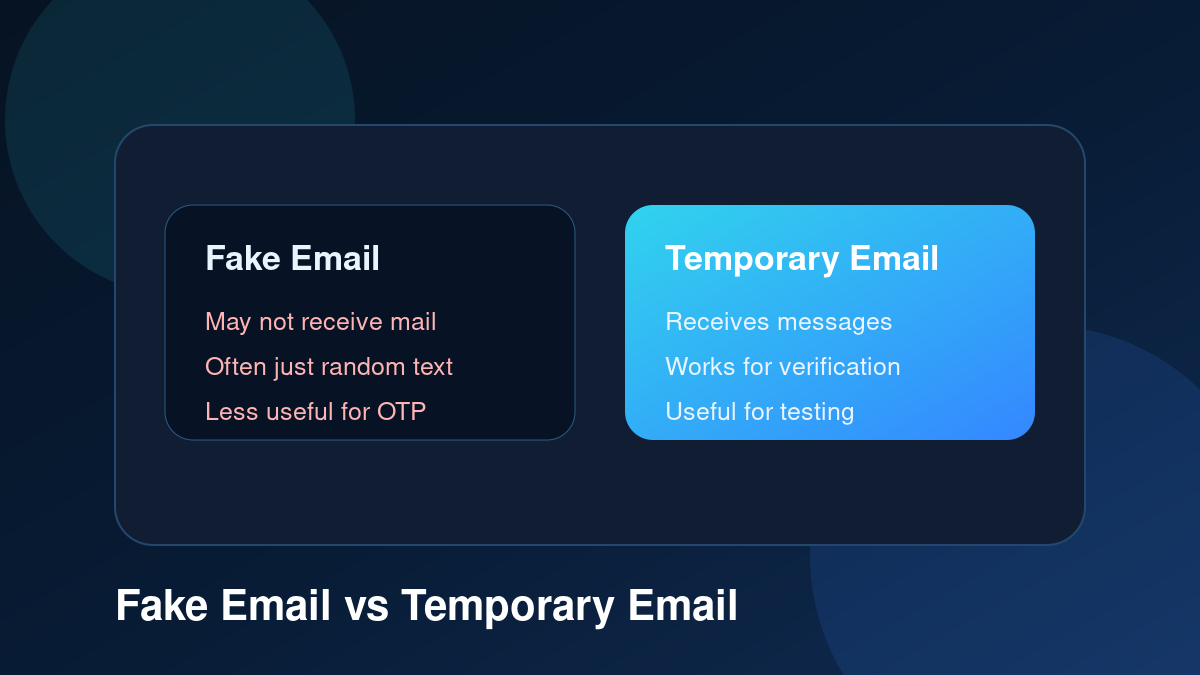
The terms fake email and temporary email are often used together, but they do not always mean the same thing. Some people use “fake email” to describe any email address that is not their personal inbox. Others use it to mean a random address that may not work at all. Temporary email, on the other hand, usually means a real short-term inbox that can receive messages online.
Understanding the difference is important. If you only need to fill a form with random text, a fake email might seem enough. But if you need to receive an OTP code, open a verification link, test a signup flow, or read a confirmation message, you need an inbox that actually works. That is where temporary email becomes useful.
TemproMail is designed as a temporary email inbox tool. Visitors use tempromail.com to create or check inboxes, while generated email addresses use @keyomail.com. That means the address is not just random text. It is meant to receive messages so users can complete verification, testing, signup, and privacy-friendly browsing tasks.
What is a fake email?
A fake email is usually an address that is not connected to your real identity or main mailbox. Sometimes it means a completely made-up email address that cannot receive mail. For example, someone might type a random address into a form just to move forward. That can work only if the website does not verify the address.
However, many websites now require email confirmation. They send a code, link, or account activation message. If the email address is fake and cannot receive mail, the signup process stops. That is why random fake addresses are less useful today than they used to be.
The word fake email can also have a negative meaning. It may suggest dishonesty, abuse, or trying to bypass systems. For that reason, it is better to think in terms of practical inbox types. A temporary email address is not just fake text. It is a working inbox used for short-term tasks.
What is a temporary email?
A temporary email address is a working email address created for limited use. It can receive incoming messages and show them in a web inbox. People use temporary email to receive verification emails, OTP codes, signup confirmations, test messages, and short-term notifications without using their personal inbox everywhere.
Temporary email is also called temp mail, disposable email, throwaway email, temporary inbox, or disposable inbox. These terms usually describe an address that is useful for short-term communication. The key difference is that temporary email is expected to receive mail.
For example, if you create an address on TemproMail and use it on a signup form, you can return to the inbox and check for incoming messages. This makes it useful for real verification workflows, not just form-filling.
Fake email vs temporary email: the simple difference
The simple difference is this: a fake email may not be able to receive messages, but a temporary email should. A fake email may be random text. A temporary email is a short-term inbox. A fake email may help only when a website does not check the address. A temporary email helps when the website sends a message that you need to read.
This is why temporary email is more practical for modern websites. Most signup forms, app tests, and login systems require email verification. If you cannot receive the message, you cannot finish the process. A working disposable inbox solves that problem.
Why people search for fake email
Many people search for fake email because they want to avoid giving their personal address to every website. That is understandable. Your personal inbox may contain important messages, account recovery links, work emails, receipts, family conversations, and private information. Sharing it everywhere can lead to spam, promotional clutter, and unwanted messages.
People may also search for fake email when they only need one quick message. A website might ask for an email to download a file, join a forum, receive a coupon, start a trial, test a demo, or confirm a basic signup. In those cases, users often do not want to expose their main mailbox.
The safer and more useful option is usually a temporary email inbox instead of a random fake address. It gives you separation from your real inbox while still allowing you to receive the message you need.
When a random fake email is not enough
A random fake email is not enough when the website sends verification. If the site asks you to click a link, enter a code, or confirm account ownership, you need access to the inbox. A made-up address will not help.
Random fake email is also not useful for testing. Developers and QA testers need to confirm whether an app sends messages correctly. They need to read the subject line, check OTP codes, confirm link behavior, and inspect message formatting. A working temporary inbox is needed for that.
It is also risky to type a random email address that may belong to someone else. If the address exists, someone else could receive messages connected to your signup. Temporary email avoids that by giving you an address designed for temporary use.
When temporary email is useful
Temporary email is useful when you need a working inbox for a short-term task. You can use it for OTP codes, email verification, signup confirmations, app testing, newsletter previews, download pages, low-risk forum accounts, coupon forms, product demos, and QA workflows.
It is also helpful when you are unsure whether a website deserves your personal email. If the task is simple and temporary, a disposable inbox can reduce future clutter. You receive the message you need without giving long-term access to your main mailbox.
Temporary email for OTP codes
OTP codes are one of the biggest reasons to use temporary email instead of a fake email. An OTP code must be received and read. If you enter a fake address that cannot receive mail, you will never get the code. With a temporary inbox, you can receive the message online, copy the code, and continue.
This is helpful for low-risk signups and app testing. Developers can create test users, trigger OTP emails, and confirm that the code appears correctly. Everyday users can complete simple verification steps without exposing their personal inbox.
Temporary email for signup testing
Developers often need multiple email addresses to test signup flows. A random fake email may pass basic validation, but it cannot confirm whether emails are delivered. A temporary email address gives developers a real inbox for testing the full flow.
This includes checking welcome emails, verification links, password reset emails, invitation messages, and transactional notifications. Temporary email makes the testing process faster and cleaner than using a personal inbox.
Temporary email for privacy-friendly browsing
Temporary email also helps users browse more privately. It does not make someone completely anonymous, but it reduces how often their personal email address appears in website databases and marketing systems. This can reduce spam, tracking, and promotional follow-up connected to the main inbox.
Think of it as email separation. Your main email stays for important accounts, and temporary email handles quick online tasks. This gives you more control over who can contact your real mailbox later.
Important safety limits
Temporary email is useful, but it should not be used for everything. Do not use it for banking, payment accounts, government services, healthcare portals, school accounts, long-term business accounts, or anything that may require future recovery access. If losing access to the inbox would cause a serious problem, use a permanent email address.
Temporary email is best for short-term, low-risk, and testing-related tasks. It is a convenience tool, not a replacement for secure personal email.
Why wording matters
The phrase fake email can sound suspicious because it may imply misuse. Temporary email is a better and more accurate term when the address is used to receive legitimate messages for short-term purposes. It describes what the tool actually does: provide a temporary inbox.
For websites, developers, testers, and privacy-conscious users, temporary email is a practical tool. It is not about avoiding responsibility. It is about choosing the right inbox for the right task.
How TemproMail fits in
TemproMail gives visitors a temporary inbox workflow. You can create a random address, create a custom address, copy it, check incoming messages, and read email content from the browser. The generated address uses @keyomail.com, and the public website is available at tempromail.com.
This makes TemproMail useful for OTP codes, signup messages, verification emails, app testing, and low-risk online forms. It gives users a working temporary inbox instead of a random address that cannot receive mail.
Final thoughts
A fake email and a temporary email are not always the same thing. A fake email may simply be random text, while a temporary email is a working short-term inbox. If you need to receive OTP codes, verification links, signup messages, or test emails, temporary email is the more useful choice.
TemproMail helps you create and check temporary inboxes in your browser, receive messages online, and keep your personal email reserved for important accounts. Use temporary email for quick, low-risk tasks, and use your permanent inbox when long-term access matters.